Booking · Scheduling

Let people book, instead of arranging.

Bookable times per employee, room or device. Confirmation and reminders run themselves.

One bookable resource free forever

Booking, from one appointment type to the full view

The highlights

See it working

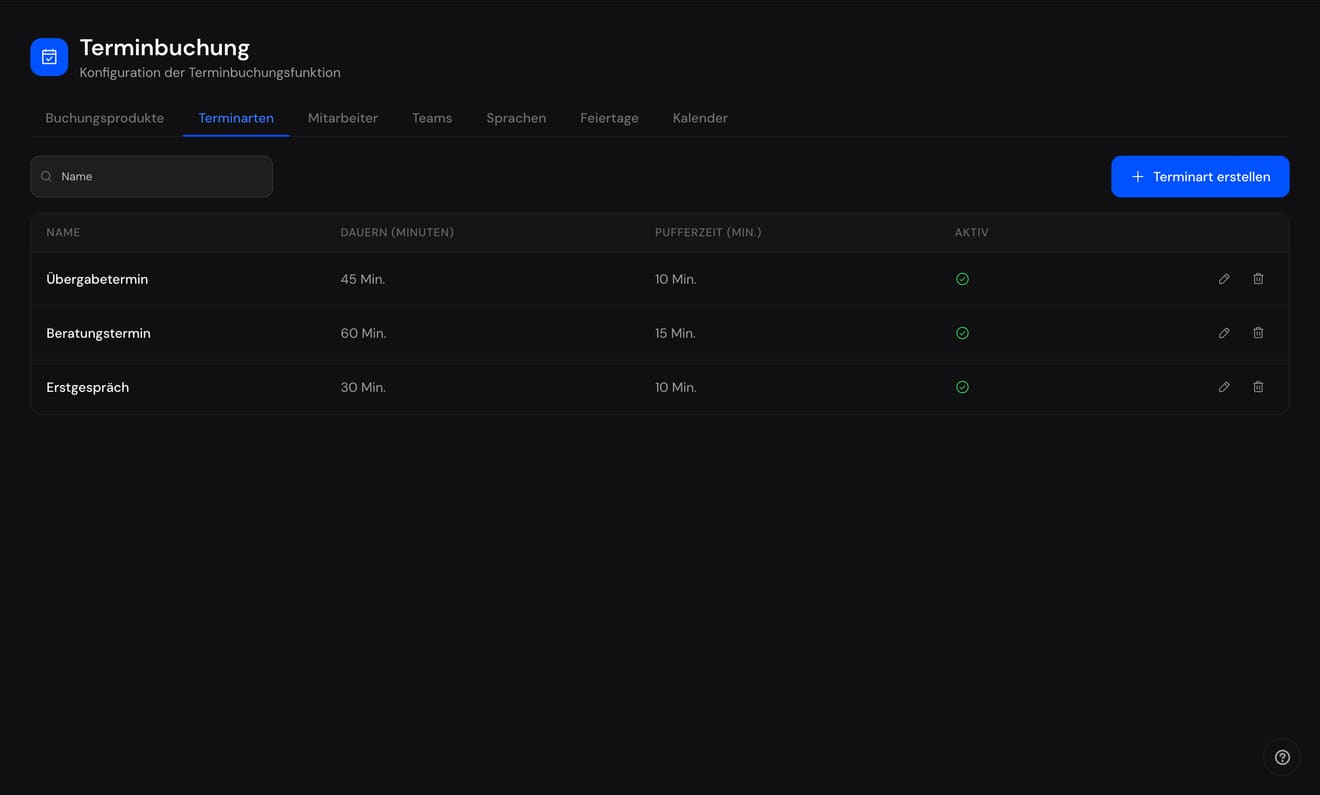
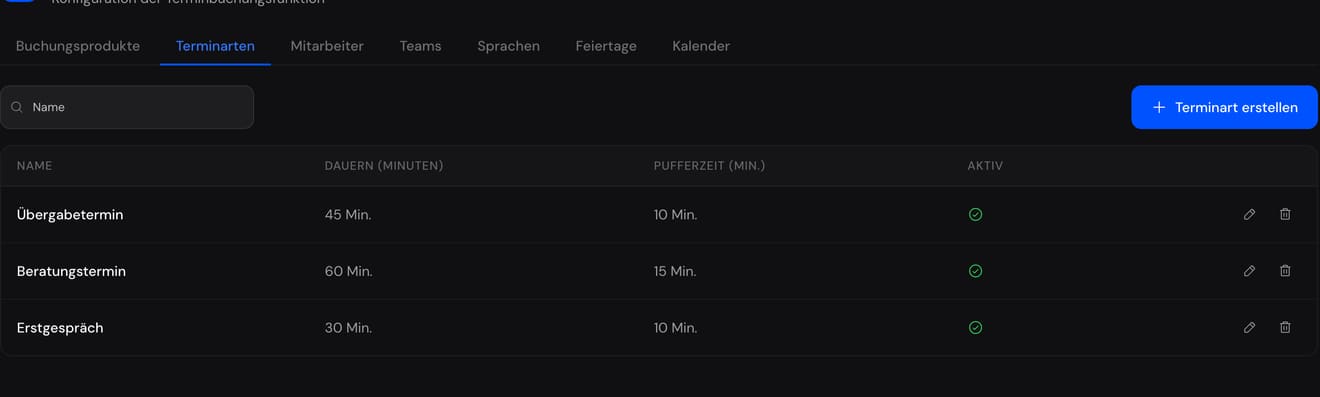
Booking configuration with appointment types, teams and holidays

What is bookable, for how long, with which buffer - set once.

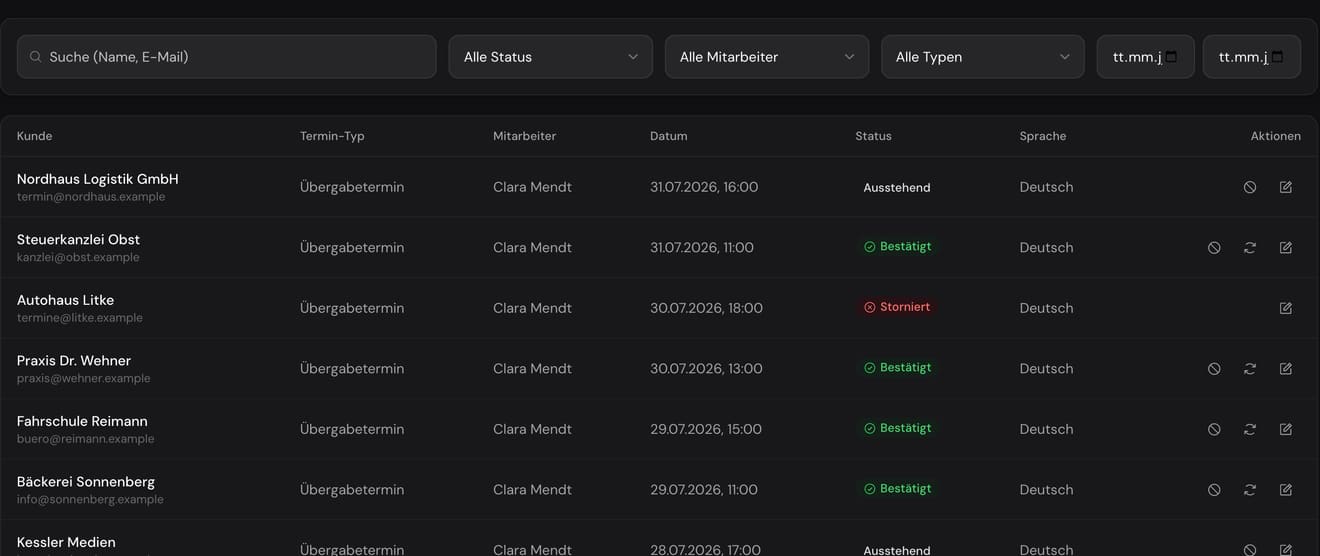
The booking list with customer, type, staff, date and status

Every booking with its status - confirmed, pending, cancelled.

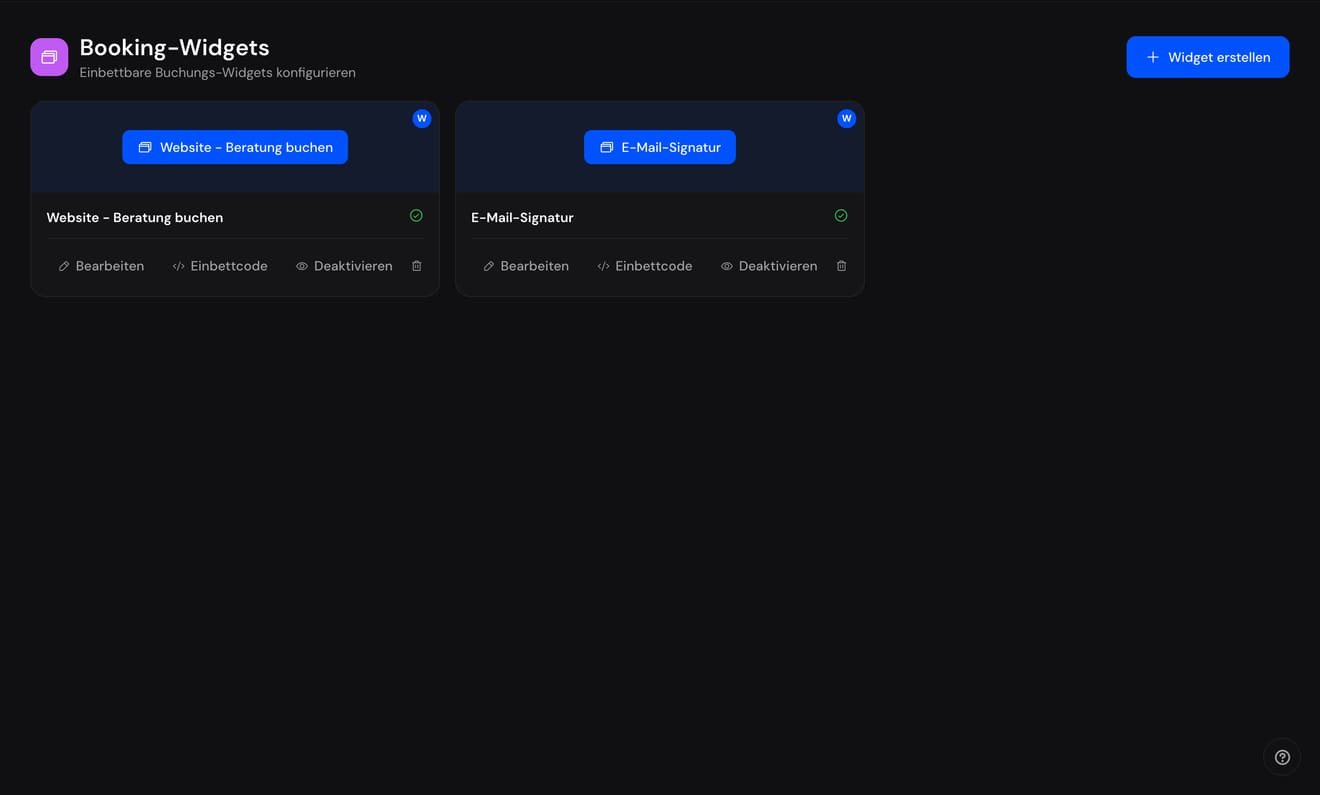
The published booking pages with name and status

One link in the signature, one on the site - the customer books.

Sound familiar?

An appointment takes thirty seconds to book and four emails to arrange. The difference is pure organisation.

Four emails back and forth for one appointment.

“Does Tuesday work?” - “Mornings only.” - “Wednesday then?” - and meanwhile someone else has taken the slot. That costs both sides more than the appointment.

Our answerOne link. The customer sees the open slots and books. Double bookings are impossible.

Two colleagues have booked out the same room.

It surfaces five minutes beforehand. Rooms, equipment and people live in different calendars - and none of them knows about the others.

Our answerEmployee, room and device are equal resources with their own hours and rules. Anyone on leave is not bookable.

A third of the appointments are no-shows.

Someone would have to send reminders by hand, and nobody gets round to it. The time is reserved, blocked and wasted.

Our answerConfirmation, reminder and cancellation rules run automatically by email, in the customer's language. Reschedules arrive as a request, not a phone call.

Let people book, instead of arranging.

In depth

13 features.

Every one with its own page in the handbook - and here, chapter by chapter, shown and explained.

01Rules

Set once. Then it runs.

Letting people book means the decisions were made beforehand. Appointment types with duration, buffer and rules. Working hours per resource, be it a colleague, a room or a device. And whoever is on leave is not bookable, because the absence blocks the availability, connected to HR if you use it. The calendar does not argue. It knows.

0

double bookings. The system does not allow them.

Booking configuration with appointment types, teams and holidays

What is bookable, for how long, with which buffer - set once.

  • Employees, rooms or devices as bookable resources
  • Appointment types with duration, buffer and rules
  • Working hours and workspace per resource
  • Absences block availability

02The booking page

One link that makes appointments.

The customer sees the open slots and picks one. No back and forth by mail, no third proposal, no phone call. The page is yours: several for different occasions, multilingual per customer, shareable as a link in your signature, on your website, in the offer. The scheduling that used to cost your time is now done by the customer, and to them it feels like service.

1 link

in your signature, and the back and forth is over.

The published booking pages with name and status

One link in the signature, one on the site - the customer books.

  • Your own booking page, shareable as a link
  • Several pages for different occasions
  • Double bookings are impossible

03Communication

Confirm, remind, cancel: on their own.

The confirmation after booking, the reminder before the appointment, the notice on cancellation: all email rules, set up once and then running. The share of appointments that collapse because somebody forgot does not fall through discipline, it falls through the reminder mail the day before. And the overview shows workload per resource and day, with every booking and its status.

3 rules

confirmation, reminder, cancellation. Set up in an afternoon.

  • Email rules for confirmation, reminder, cancellation
  • Reschedule requests with approval
  • Multilingual, per customer

04Overview

The calendar knows what the week holds.

Workload per resource and day, the booking list with status, and for every colleague their own view of their own appointments. Whoever wants to know what the week looks like opens it - instead of asking three people.

The booking list with customer, type, staff, date and status

Every booking with its status - confirmed, pending, cancelled.

  • Workload per resource and day
  • Booking list with status
  • Your own view of your own appointments

Why it pays off

No email ping-pong

The customer sees open slots and books. Double bookings are impossible.

Rules instead of chasing

Confirmations, reminders and cancellation rules run automatically by email.

Absences feed in

Anyone on leave is not bookable. Connected to HR if you use it.

How it works

  1. 1

    Add a resource

    Employee, room or device.

  2. 2

    Set the hours

    When bookable, how long.

  3. 3

    Share the link

    The rest runs itself.

What it costs

A plan per size.

You pay per bookable resource - employee, room or device. Whoever maintains the calendar costs nothing.

Free

€0

one resource, for good

One resource, one link, no double booking.

  • Appointment types with duration, buffer and rules
  • Working hours and workspace per resource
  • Your own booking page, shareable as a link
  • Double bookings are impossible
Start free
Recommended

Team

€7.90

per resource / month

€6.58

per resource / month · €79 per resource / year

Everything in Free, plus the whole team and building.

  • Employees, rooms or devices as bookable resources
  • Several pages for different occasions
  • Absences block availability
Start Team

Professional

€10.90

per resource / month

€9.08

per resource / month · €109 per resource / year

Everything in Team, plus rules instead of chasing.

  • Email rules for confirmation, reminder, cancellation
  • Reschedule requests with approval
  • Multilingual, per customer
Start Professional

Enterprise

€13.90

per resource / month

€11.58

per resource / month · €139 per resource / year

Everything in Professional, plus the overview.

  • Workload per resource and day
  • Booking list with status
  • Your own view of your own appointments
Start Enterprise

Prices net. Monthly billing: cancel any time. Yearly billing: twelve months for the price of ten, up front.

Let people book,

Bookable times per employee, room or device. Confirmation and reminders run themselves.

Start free

No card. Cancel monthly.