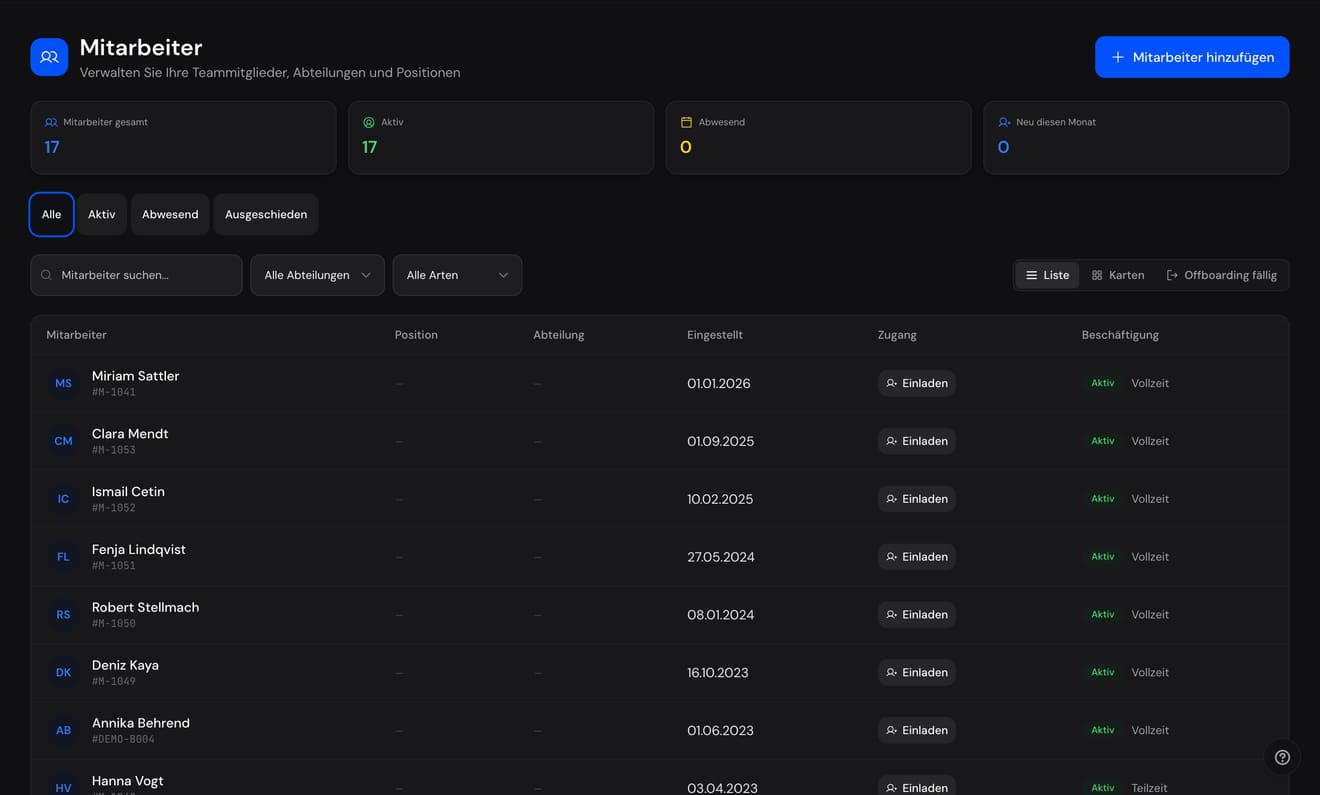
This is the employee list from the real product. Three looks and you know how work happens here.
SELLERLOGIC SCS
01
The headcount sits on top
Total, active, absent, new this month: the four numbers somebody usually has to be asked for sit above the list - always current, because they come out of it.
02
Filters instead of exports
Status, department, employment type - and on the right the views: list, cards, offboarding due. The question 'so who is actually...' is answered by the page, not by a spreadsheet beside it.
03
The record is the list
Every row is a record: number, start date, employment, status. And access is invited straight from the row - self-service starts here, not in a second system.
See it working
SELLERLOGIC SCSDemo
Absences
Requests, approvers, cover and public holidays per country
To move: drag it, or use the arrow keys while it is selected.
September 2026
August 2026
MonMo
TueTu
WedWe
ThuTh
FriFr
SatSa
SunSu
1
2
3
4
5
6
7
8
9
10
11
12
13
14
15Assumption Day (regional)
16
17
18
19
20
21
22
23
24
25
26
27
28
29
30
31
September 2026
MonMo
TueTu
WedWe
ThuTh
FriFr
SatSa
SunSu
1
2
3
4
5
6
7
8
9
10
11
12
13
14
15
16
17
18
19
20
21
22
23
24
25
26
27
28
29
30
October 2026
MonMo
TueTu
WedWe
ThuTh
FriFr
SatSa
SunSu
1
2
3German Unity Day
4
5
6
7
8
9
10
11
12
13
14
15
16
17
18
19
20
21
22
23
24
25
26
27
28
29
30
31Reformation Day (regional)
LeaveSickRemoteRequestedWeekendPublic holiday
Click a request - or drag it to move it.
Period
Approver
Cover
To move: drag it, or use the arrow keys while it is selected.
Requests9 requests · 16 days away
No request matches this selection.
Not a screenshot: page the month, filter it - and move a request, by mouse or by arrow key.
SELLERLOGIC SCSDemo
Employees by where they belong
The same records, grouped rather than filtered
The full list with search, filters and sorting is at the top of this page. To the list ↑
Click a tile - the short record appears here.
Reports to
Location
Working time
Team
Sales2 people
Engineering4 people
Marketing2 people
Finance2 people
Customer service2 people
People1 person
The list finds one person. This view shows who belongs where - by department, location or contract.
SELLERLOGIC SCSDemo
Joining and leaving
Every status a guided step - with its checklist
MSMiriam SattlerCustomer service lead · Joined this monthOnboarding
Pre-hirecomplete
Onboardingin progress
Probationopen
Activeopen
3 of 8 done
EFElena FischerPurchasing clerk · Left on 31 JulyOffboarding
Notice periodcomplete
Offboardingin progress
Leftopen
Alumniopen
3 of 7 done
Not a screenshot: tick the boxes - the progress bar and the status chain follow.
SELLERLOGIC SCSDemo
Org chart
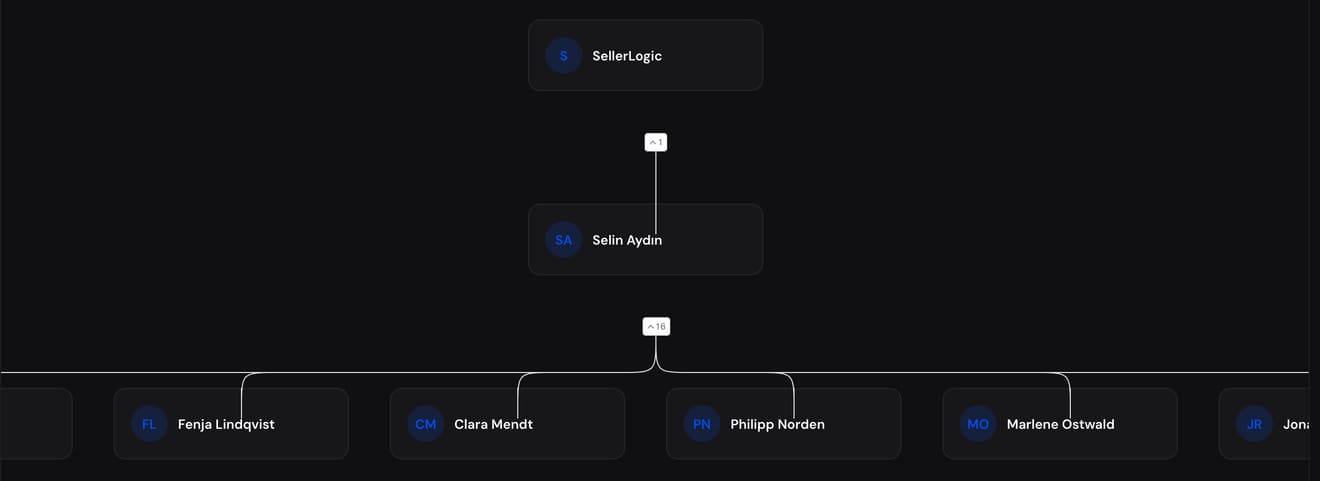
Drawn from the records, not maintained beside them
Click a person - their card appears here.
Location
Team
Reports
Succession open - the reporting line still hangs off this position.
GFSELLERLOGIC GmbHExecutive board13 reports
RSRobert StellmachHead of sales5 reports
MSMiriam SattlerCustomer service lead1 report
SMSofia MarekGraphic designer1 report
DKDeniz KayaSystem administrator3 reports
EFElena FischerPurchasing clerkLeft1 report
Not a screenshot: open and close the branches, pick a person. The line comes from the records.
Sound familiar?
HR work rarely fails for lack of will. It fails because the truth lives in four spreadsheets, three mailboxes and a filing cabinet.
01
The leave request is sitting in the manager's inbox.
Who is on leave herself. The employee does not know whether to book, the stand-in does not know they are standing in, and the spreadsheet with the remaining days is from March.
Our answerRequests run with an approver, a deputy rule and public-holiday calendars per country. Two- or four-eyes approval per absence type where that is needed.
02
Someone leaves - and three weeks later it shows.
The ERP account is still live, their work is untouched, and nobody knows who owns the customer now. That is not carelessness, it is a missing process.
Our answerOffboarding with successor assignment, deadlines and a guided handover. What was handed over is recorded on the record, not in a colleague's head.
03
Every question lands on one person's desk.
“How many days do I have left?” “Where is my May payslip?” “Can I swap that shift?” - questions everyone could answer themselves add up to days.
Our answerFifteen self-service areas for employees: leave, hours, shifts, documents, payslips, expenses, reviews. Those accounts are never billed.
You pay for employees being administered - not for someone checking their own leave balance.
In depth
42 features.
Every one with its own page in the handbook - and here, chapter by chapter, shown and explained.
01
01The record
One truth instead of four spreadsheets.
The HR department you maybe do not even have runs today on spreadsheets, mailboxes and a filing cabinet. Every store has its own version of the truth. Here there is one record per person: master data with custom fields, an org chart, locations, legal entities, cost centres, and an audit log that keeps every change.
1 record
per person. Everything else points at it.
SELLERLOGIC SCS
The org chart draws itself from the records.
Employee record with custom fields
Org chart, teams and departments
Locations, legal entities, cost centres
Registered address and master-data changes
02
02Absence and time
Leave that runs itself.
The request reaches the right approver, cover is recorded, the holiday calendar knows country and region, and the remaining-days balance is correct because nobody maintains it by hand. Beside it: time tracking for individuals and teams, project time separate from working time, shift planning. This is the part of HR that happens most often, so it is built most thoroughly.
2 or 4
eyes per absence type. You decide what needs approval.
SELLERLOGIC SCS
Requests, approvers, cover and public holidays per country.
Absences with approver and cover
Approval mode per absence type, two or four eyes
Public-holiday calendars per country and region
Calendar integration outwards
Time tracking, individual and team
Project time separate from working time
Shift planning
03
03Joining to leaving
The lifecycle, with no loose ends.
From recruiting through to hire, onboarding with tasks and deadlines, moves, and at the end an offboarding with successor assignment and a guided handover. Leaving is where most systems fail: accounts stay open, knowledge walks out. Here it is a procedure with deadlines, not a memory in the boss's head.
63
handbook pages for HR alone. Every function here is explained there.
SELLERLOGIC SCS
From onboarding to alumni - every status a guided step.
Recruiting through to hire
Onboarding with tasks and deadlines
Offboarding with successor assignment and handover
Lifecycle across every stage
Document templates for contracts and certificates
04
04Development and review
Growth belongs on the record.
Review is not an annual appointment, it is a record over time: performance reviews, continuous feedback instead of a year-end ritual, career tracks with levels, training with certificates, succession planning and workforce surveys. All of it on the record, all of it readable - for the next conversation and the one after.
Career tracks and levels
Performance reviews
Continuous feedback, not only at review time
Training and records
Succession planning
Surveys to the workforce
05
05Pay and cost
Money, handled not haggled.
Payroll, salary bands, pay-gap analysis, expenses with receipt and reimbursement, benefits, procurement and IT assets on the employee: the part of HR where mistakes cost money follows rules here instead of shouted requests. And because there is no minimum spend, the bill only grows with the team.
€0
minimum spend. The bill only grows with the team.
Payroll
Compensation and salary bands
Pay-gap analysis
Expenses with receipt and reimbursement
Benefits
Procurement and IT assets on the employee
06
06Self-service
Everyone sees their own area.
Request leave, log hours, fetch the payslip, submit expenses, give feedback, report a concern confidentially: everything employees can do themselves, they do themselves. And because those accounts are never billed, there is no reason to ration them.
€0
per employee account. Always. That is the point.
Requests instead of emails
A leave request is one click with an approval path, not an email ageing in the boss's inbox.
Documents for the taking
Payslips and certificates sit in your own area. The question about them answers itself.
Whistleblowing built in
A confidential reporting channel under the German HinSchG is included instead of demanding its own tool.
07
07Proof and automation
Able to prove, without searching.
An audit log across every change, whistleblowing under the German HinSchG, workflows with templates, webhooks outwards and analytics with reports: the part nobody sees - until an audit, a report or a question arrives. Then it is the whole difference.
100%
of changes in the audit log. Proof instead of memory.
Whistleblowing under the German HinSchG
Audit log across every change
Workflows and workflow templates
Webhooks outwards
Analytics, reports, dashboard
€0
per employee account. Self-service is never billed.
Why it pays off
01
Self-service costs nothing
Request leave, fetch documents, log hours - employees do it themselves. Those accounts are never billed.
02
Leaving without loose ends
Offboarding with successor assignment, deadlines and a guided handover instead of forgotten accounts.
03
Absences with cover
Requests, approvers, deputy rules and public-holiday calendars per country.